Click a game on a site like Classroom 6X and within seconds you are drifting a car, stacking blocks or dodging spikes, all without installing anything. It feels effortless, but a surprising amount of technology is working behind the scenes. This explainer walks through how modern HTML5 browser games are built and delivered, from the canvas that draws each frame to the code that saves your progress and the network tricks that power multiplayer. Whether you are curious, a student interested in coding, or wondering why a game runs smoothly on one computer and stutters on another, this is the plain-English version.
- HTML5 games run on open web standards: JavaScript for logic, Canvas or WebGL for graphics, and the Web Audio API for sound.
- Many bigger titles are built in engines like Unity and exported to WebGL and WebAssembly so they can run in a browser tab.
- Progress is usually saved locally in your browser, which is why clearing site data can wipe your save.
From Flash to HTML5: a short history
For years, most browser games relied on Adobe Flash, a plugin that had to be installed separately. Flash was powerful, but it had constant security problems and never worked well on phones. As browsers improved, a collection of open standards known as HTML5 made plugins unnecessary. Adobe ended support for Flash at the end of 2020, and browsers removed it entirely. Many classic Flash games were rebuilt in HTML5, while others survive through emulators such as Ruffle, which recreates the Flash player in modern web code.
Today, "HTML5 game" is a loose label. It simply means a game built with web technologies that runs natively in the browser, on desktop and mobile alike.
The building blocks of an HTML5 game
A browser game is really a small web application. Several standard technologies each handle a different job.
| Technology | Role in a game | Example of what you notice |
|---|---|---|
| JavaScript | Game logic, rules, input handling and scoring | Your score increasing, enemies moving |
| Canvas 2D | Drawing sprites and shapes on a flat surface | Pixel-art or simple 2D games |
| WebGL | Hardware-accelerated 2D and 3D graphics through the GPU | 3D racing and shooter games |
| WebAssembly | Running compiled code, often from C++ or C#, at near-native speed | Engine-built games with complex physics |
| Web Audio API | Sound effects, music and audio timing | Rhythm games staying in sync with the beat |
| Local storage and IndexedDB | Saving progress and settings in your browser | Your save still being there tomorrow |
| WebSockets and WebRTC | Real-time communication with servers or other players | Live multiplayer matches |
The game loop: how a frame is drawn
At the heart of every game is a loop that runs many times per second. In the browser, developers usually use a function called requestAnimationFrame, which asks the browser to run the game's code right before the screen refreshes, typically 60 times per second or more on high refresh rate displays. Each pass through the loop does three things:
- Read input. Check which keys are pressed, where the mouse is, or whether a touch has happened.
- Update the world. Move characters, apply gravity, detect collisions and update the score.
- Render. Clear the canvas and draw everything in its new position.
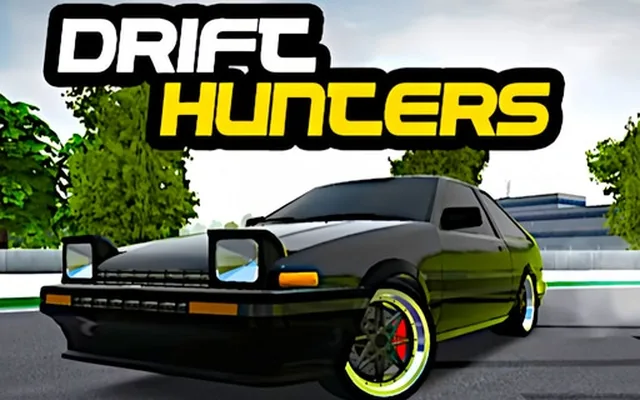
If one pass takes too long, the browser misses a screen refresh and you see stutter. That is why demanding 3D games like Drift Hunters may run perfectly on a gaming laptop but struggle on an older Chromebook. Lowering graphics settings reduces the rendering work so each frame finishes in time.
Why physics can feel different between devices
Good games separate their physics updates from the frame rate by using a fixed time step. Poorly built ones tie movement directly to frames, so the game literally runs faster on a faster screen. If a game ever felt oddly speedy on a 144 Hz monitor, that is usually the reason.
Performance tips for smoother play
- Keep your browser updated, since new versions improve WebGL and WebAssembly performance.
- Make sure hardware acceleration is enabled in your browser settings.
- Close heavy tabs, especially video streams, before playing 3D games.
- Lower in-game graphics quality or resolution if frames stutter.
Game engines and how they export to the web
Few developers write everything from scratch. They use engines that handle rendering, physics and input for them. Popular choices for browser games include:
- Phaser, a JavaScript framework widely used for 2D arcade and puzzle games.
- Construct, a visual, event-based editor that exports directly to HTML5.
- PlayCanvas and Three.js, which focus on 3D graphics through WebGL.
- Unity and Godot, full engines that can export a build to WebGL and WebAssembly.
Unity exports are common for 3D browser titles. The engine compiles the game into WebAssembly, packages the assets, and generates a small web page to launch it. That is why these games often show a loading bar first: the browser is downloading and preparing several megabytes of code and assets before the first frame appears.
Saving progress in the browser
When you close a tab and come back later to find your Cookie Clicker bakery or Retro Bowl season intact, the game has saved data inside your browser using local storage or IndexedDB. This storage belongs to the website the game runs on and stays on your device. It has two consequences worth knowing. First, clearing your browsing data or using a private window can erase your save. Second, progress does not automatically follow you to another computer. Some games offer an export option that produces a save code you can paste elsewhere, which is the best way to back up long-running progress.
How multiplayer browser games connect
Online titles such as Krunker.io and Smash Karts need constant, fast communication. Regular web requests are too slow for that, so these games open a WebSocket, a persistent two-way connection to a game server. Your browser sends your inputs, the server calculates the authoritative state of the match, and it broadcasts updates to every player many times per second. To hide network delay, clients predict movement locally and correct it when the server's update arrives, which is why you occasionally see a player snap back to a slightly different position.
First-person shooters also rely on the Pointer Lock API, which captures the mouse so it controls the camera instead of moving a cursor. Some games support controllers through the Gamepad API as well.
Embedding: how game sites deliver games
Most game portals, including Classroom 6X, display games inside an iframe, a frame that loads the game's own page within the site's page. This keeps the game's code isolated, lets developers host and update their games independently, and means the portal can offer a consistent layout around many different titles. The trade-off is that a game's loading speed depends partly on the server hosting its files.
FAQ
Do HTML5 games need any plugins or downloads?
No. HTML5 games run using technologies built into every modern browser, such as JavaScript, Canvas and WebGL. You only need an up-to-date browser and an internet connection to load the game.
Why did my browser game lose my progress?
Most browser games save progress in your browser's local storage. Clearing browsing data, using private mode or switching devices means the save is not available. Use an export or backup option if the game offers one.
Why do some browser games take longer to load?
Larger games, especially 3D titles built in engines like Unity, must download and compile several megabytes of code and assets before starting. Simple 2D games built directly in JavaScript usually load almost instantly.