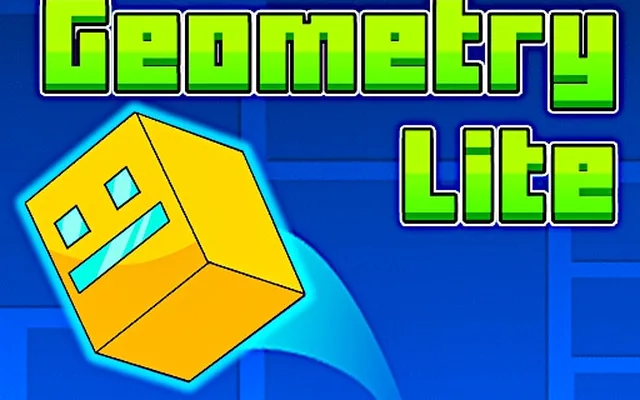
Geometry Dash has a reputation for being brutally hard, and it earns it. One mistimed click sends you back to the start of the level, and the music you just heard forty times starts again. The good news is that the game is fair. Every obstacle is placed to the beat, every jump can be learned, and the path from "I cannot pass the first spike" to beating full levels is shorter than it looks. These beginner tips cover the controls, each game mode you will meet, how to practise efficiently and how to stay calm when a run falls apart at 94 percent. You can start right now by playing Geometry Dash on Classroom 6X.
- The whole game uses one input: click, press Space or press Up. Timing, not reaction speed, is what you are really learning.
- Use practice mode with checkpoints to learn tough sections, then play normal mode for the full run.
- Listen to the music. Obstacles are built on the beat, so rhythm is your most reliable guide.
How Geometry Dash works
Your icon moves forward automatically at a fixed speed. You only control when it jumps, flies or changes direction. Touch a spike, hit a wall or fall off the course and the attempt ends. The attempt counter in the corner is a badge of honour rather than a sign of failure: even strong players rack up hundreds of attempts on a new level.
Because the scrolling is constant, every level is completely deterministic. The same input at the same moment always produces the same result. That is why memorisation and rhythm matter so much. Once you know a section, you can execute it the same way every time.
The game modes you will meet
Portals transform your icon into different vehicles, each with its own physics. Learning how each one responds to input is the single biggest step for a beginner.
| Mode | How it responds to input | Beginner tip |
|---|---|---|
| Cube | Jumps once per press; holding jumps repeatedly on landing | Hold through long rows of single spikes to auto-jump |
| Ship | Rises while held, falls when released | Use tiny taps, not long holds, to stay level |
| Ball | Flips gravity between floor and ceiling | Tap once per switch and wait to land |
| UFO | Small hop in the air on each press | Think of it as a flappy-style rhythm |
| Wave | Moves diagonally up while held, down when released | Keep inputs short and look ahead |
| Robot | Jump height depends on how long you hold | Short press for small hops, hold for big ones |
| Spider | Teleports instantly between floor and ceiling | React to the next surface, not the current one |
The ship and the wave cause most beginner deaths. If those modes feel impossible, Geometry Dash Wave and Space Waves let you practise wave-style movement on its own.
Orbs, pads and portals
Coloured objects change how your icon moves. Learning to read them at a glance saves a lot of attempts.
- Yellow jump pads launch you automatically when touched. No input needed.
- Yellow orbs only launch you if you click while touching them.
- Pink pads and orbs give a smaller jump.
- Blue pads and orbs flip gravity, sending you to the ceiling or back.
- Speed portals, shaped like arrows, change how fast the level scrolls.
- Size portals shrink or enlarge your icon, which changes jump height and hitbox.
A common beginner mistake is clicking on pads, which is unnecessary, or failing to click on orbs, which is essential. Remember: pads are automatic, orbs need a press.
How to practise without burning out
Use practice mode properly
Practice mode drops checkpoints as you play so you can respawn close to where you died. It is the fastest way to learn a level. Play a tricky section repeatedly until you can pass it three times in a row, then move on. Once you can clear every part in practice, switch to normal mode for the full run. Your first full attempts will still fail, but each section will feel familiar.
Start from the easiest official levels
Work through the levels in order. The early stages introduce one idea at a time: the cube, then the ship, then the ball, and so on. Skipping ahead to a harder level usually means facing three unfamiliar mechanics at once. A sensible progression is:
- Clear the first level until the cube jumps feel automatic.
- Replay any level with a ship section until you can hold a steady flight line.
- Collect coins only after beating a level normally, since they often require a risky alternate path.
- Move up one difficulty tier at a time.
Take breaks on purpose
Muscle memory consolidates while you rest. If you have died at the same point twenty times in a row, stop for five minutes. Many players find they pass the section on their first attempt after a short break.
Timing, rhythm and reading ahead
The level designers place obstacles on the beat of the song. Instead of watching only your icon, keep your eyes slightly ahead of it so you see the next obstacle early, and let the music tell you when to press. Turning the sound off makes the game noticeably harder.
Another useful habit is to count jumps in a sequence. A row of three spikes followed by a block becomes "jump, jump, hold". Chunking sections into short patterns makes long levels far easier to remember.
Settings and hardware tips
Small technical issues can ruin tight timing. In a browser, close unnecessary tabs and other heavy programs, play in fullscreen, and use a wired mouse or the keyboard if your touchpad has any delay. Many players prefer the Space bar or Up arrow over mouse clicks because a keyboard press is quick and consistent. Whatever you choose, stick with it so your timing stays reliable.
Similar rhythm and reflex games
If you enjoy the one-button challenge, Classroom 6X hosts several games that sharpen the same skills. Dashmetry offers a similar cube-and-spike experience, Curve Rush is about timing momentum on hills, and Tunnel Rush trains the fast visual reading that makes Geometry Dash easier.
FAQ
What is the best way to get better at Geometry Dash?
Use practice mode to learn each section with checkpoints, then play the full level in normal mode. Focus on rhythm by listening to the music, and take short breaks when you get stuck on one spot.
Why do I keep crashing in ship sections?
Most beginners hold the button too long. The ship rises while held and falls when released, so use quick, small taps to stay at a steady height rather than long presses.
Should I use the mouse or keyboard?
Either works. Many players prefer the Space bar or Up arrow because keyboard presses feel consistent, but the most important thing is to pick one input and stick with it.