Hot

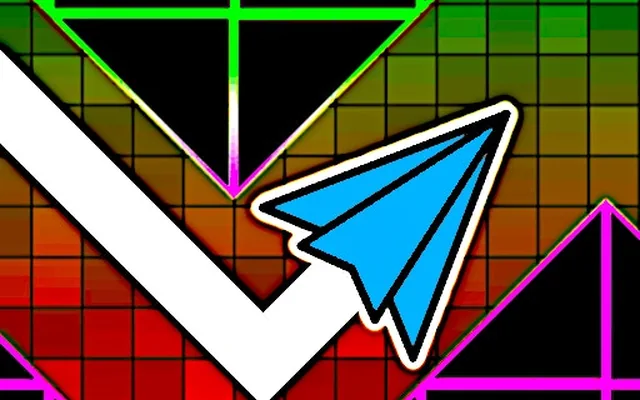
Hold to climb, let go to dive. Thread the zigzag through walls of spikes.
Anyone who has played Geometry Dash knows the wave is the mode that separates casual players from the stubborn ones. Geometry Dash Wave is a fan-made browser game built entirely around that mechanic, inspired by RobTop's rhythm platformer. Instead of jumping a cube over obstacles, you steer a small arrow that moves in sharp diagonal lines, tracing a zigzag through narrow tunnels lined with spikes.
There is no gentle arc or floaty momentum here. The instant you press, the wave shoots upward; the instant you let go, it drops. That precision makes tight sections feel brutal at first and incredibly satisfying once the pattern clicks with the music. It is excellent practice for anyone who struggles with wave sections in the full game.
Your wave travels forward automatically at a constant speed. Holding the input sends it diagonally upward, and releasing sends it diagonally downward, so every movement is a sharp zigzag. Guide it through corridors, gaps, and spike clusters without touching any hazard, because a single hit sends you back to the start. Obstacles are laid out to match the beat of the soundtrack, so listening closely helps you time your presses. Finish a level to unlock harder stages with narrower passages, speed changes, and trickier patterns that demand quick, tiny taps.
| Hold Left Click | Move the wave upward |
| Release | Move the wave downward |
| SpaceorUp Arrow | Alternate hold input |
| Tap and Hold (touch) | Control the wave on mobile |
No. It is a fan-made browser game inspired by the wave mode from Geometry Dash, the rhythm platformer by RobTop Games. It focuses only on the wave mechanic rather than the full game's cube, ship, ball, and other forms. It is a quick way to practice one of the trickiest parts of the series without installing anything.
The wave has no momentum, so it changes direction the moment you press or release. That makes it very precise but unforgiving, especially in narrow passages. Beginners often hold too long. Short, rhythmic taps keep the zigzag small, and learning each level's pattern through repetition is what eventually makes it feel smooth.
Yes. The game runs in the browser with no download, so Chromebooks and school laptops handle it well. It works with a mouse, spacebar, or touchscreen. For the best timing, use the keyboard or a mouse rather than a trackpad, and keep the sound on since the music helps guide your inputs.
Hand-picked from the same categories.