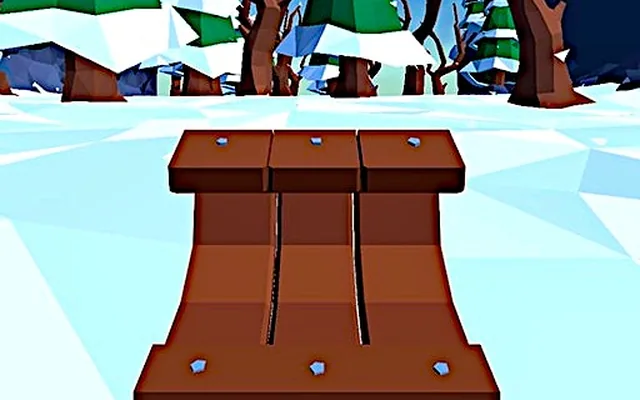
Snow Rider 3D puts you on a sled at the top of an endless snowy mountain and asks one simple question: how far can you go before you hit something? Pine trees, snowmen, rocks, ramps and wrapped presents fill the slope, and the speed keeps climbing. It is cheerful and relaxing for the first minute and genuinely intense by the third.
This beginner guide explains how the controls feel, how to read the slope, how to collect gifts without crashing and how to use them to unlock new sleds. You can ride Snow Rider 3D on Classroom 6X in your browser while you work through the tips.
- Steer with small, early inputs; the sled drifts, so late jerky turns cause crashes.
- Treat gifts as a bonus, never a reason to swerve into danger.
- Read obstacle clusters from a distance and pick a lane before you reach them.
- Unlocked sleds change the look of your ride, so spend gifts on the ones you enjoy most.
Controls and Handling
Snow Rider 3D keeps its controls simple, which puts all the emphasis on timing and positioning.
| Input | Action | Tip |
|---|---|---|
| Left arrow or A | Steer left | Short presses for small lane changes |
| Right arrow or D | Steer right | Release early to avoid drifting too far |
| Space or Up arrow | Jump in versions that support it | Check the on-screen prompt at the start of a run |
The sled has a slight slide to it. When you press a direction, it takes a moment to respond, and when you let go it keeps drifting briefly. Learning that delay is the first real skill in the game. If you find yourself swinging from one side of the slope to the other, you are holding the keys too long.
Know Your Obstacles
Everything on the slope is either something to avoid or something to collect. Recognising each type quickly gives you precious reaction time.
- Trees: the most common hazard. They often appear in lines or clusters that leave one clear gap.
- Snowmen: smaller than trees but just as deadly. They tend to sit in the middle of otherwise open lanes.
- Rocks and logs: low obstacles that are easy to miss visually against the snow.
- Ramps: launch the sled into the air. They can carry you over hazards, but you have limited control while airborne.
- Gifts: wrapped presents that act as currency for unlocking sleds.
Reading clusters
Obstacles rarely appear alone at higher speeds. Instead of reacting to the first tree you see, look at the whole group and find the gap that leads safely through the next few objects. Committing to a lane early is far safer than weaving between obstacles one at a time.
Steering Technique for Longer Runs
Look ahead
Keep your eyes on the upper part of the screen where new obstacles appear. The sled itself can be tracked with peripheral vision. The further ahead you look, the smoother your line becomes.
Stay central when possible
Riding near the middle of the slope gives you room to dodge in both directions. After avoiding a cluster, drift gently back toward the centre instead of staying on the edge.
Scale your inputs to your speed
At the start, a medium press moves you about one lane. Later in the run, the same press moves you much further because everything is happening faster. Deliberately shorten your key presses as the run goes on.
Handle ramps calmly
When you hit a ramp, line up your landing before you take off. Once airborne, make only small corrections; big mid-air steering often drops you straight onto a tree.
Gifts and Unlocking Sleds
Gifts collected during runs build up a total you can spend in the sled menu. Each sled has its own look, from simple wooden designs to more festive and unusual rides. Sleds are primarily cosmetic, so choose whichever one makes the game more fun for you.
The key to collecting gifts efficiently is patience:
- Grab gifts that sit on or near your current line.
- Skip gifts that require a sharp turn into a cluster of trees.
- Remember that surviving longer exposes you to more gifts overall, so a clean run is worth more than a greedy one.
Common Beginner Mistakes
The mistakes that end most early runs are easy to fix once you know them. Oversteering after a close call is the biggest: you dodge a tree, panic and swing straight into the next one. Chasing gifts through hazards is another, along with staring at the sled instead of the slope ahead. Finally, many players tense up as speed rises; staying relaxed keeps your presses short and accurate.
If you crash repeatedly at the same kind of situation, restart and deliberately practise just that: the first ramp, a dense tree cluster or a snowman in the middle of an open lane. Focused repetition builds reflexes faster than long unfocused sessions.
Performance Tips for Smooth Sledding
Snow Rider 3D is a 3D browser game, so a steady frame rate makes a noticeable difference. Close unused tabs, use full-screen mode if offered and avoid running heavy background apps. On older laptops, lowering the browser window size can also help keep the slope smooth at high speed.
Input comfort matters too. Rest your fingers lightly on the steering keys rather than pressing down hard between turns, and make sure your keyboard is at a comfortable angle. Tense hands produce heavier, longer presses, which is exactly what sends the sled drifting into trees late in a run.
More Speed Games on Classroom 6X
Once you have mastered the slopes, try Slope for a neon take on the same downhill formula, or Tunnel Rush for pure first-person reflex training. Subway Surfers offers lane-based dodging with power-ups, and Moto X3M is a great pick if you enjoy ramps and stunts.
FAQ
How do you get new sleds in Snow Rider 3D?
Collect gifts during runs and spend them in the sled selection menu. More expensive sleds require more gifts, so longer, cleaner runs unlock them faster.
Do different sleds change gameplay in Snow Rider 3D?
Sleds are mainly cosmetic. Handling and speed come from the run itself, so pick the sled you like the look of best.
Why do I keep crashing into trees in Snow Rider 3D?
Most crashes come from late, oversized steering inputs. Look further up the slope, choose your lane early and use short key presses, especially as the sled gets faster.